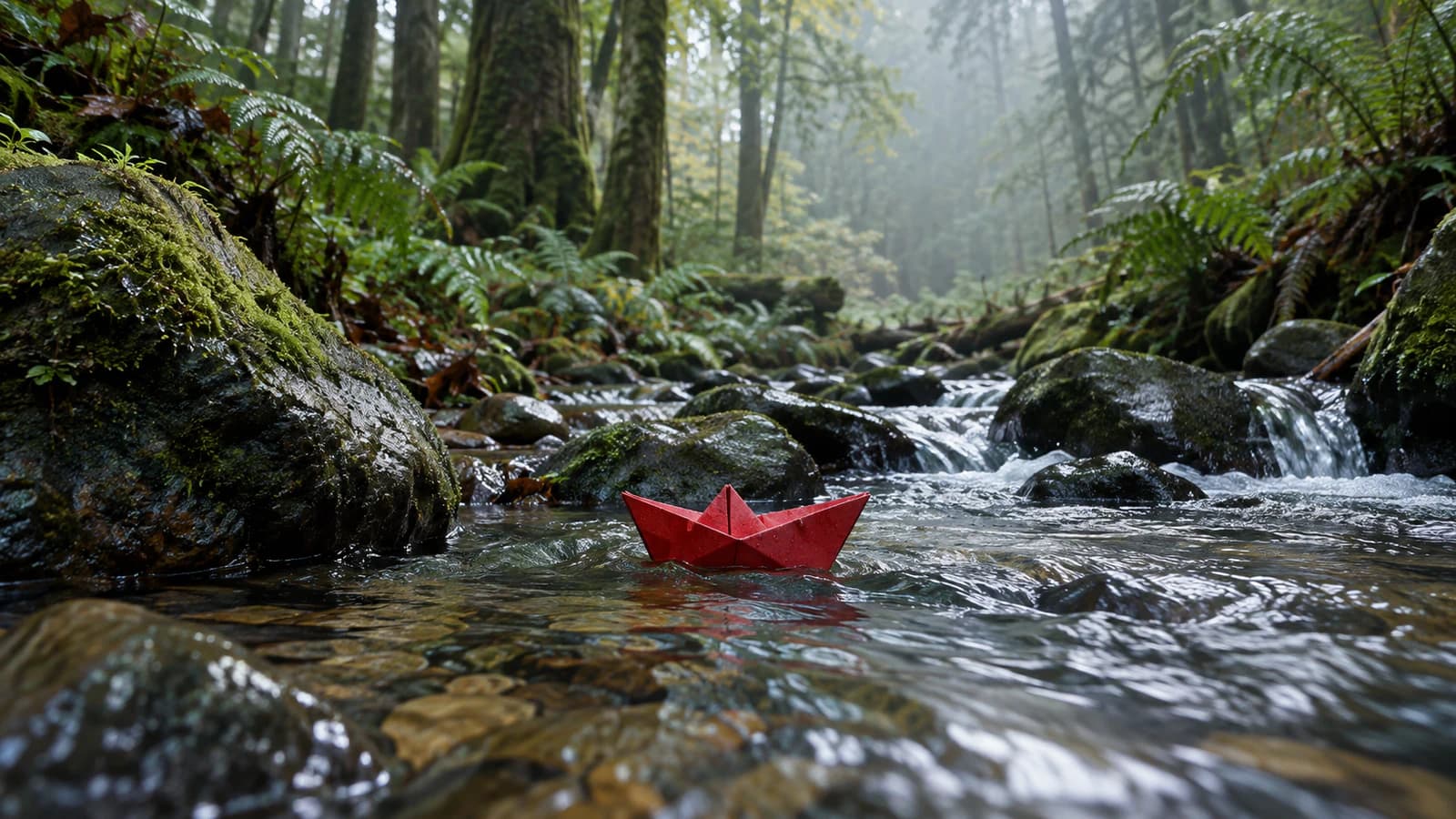
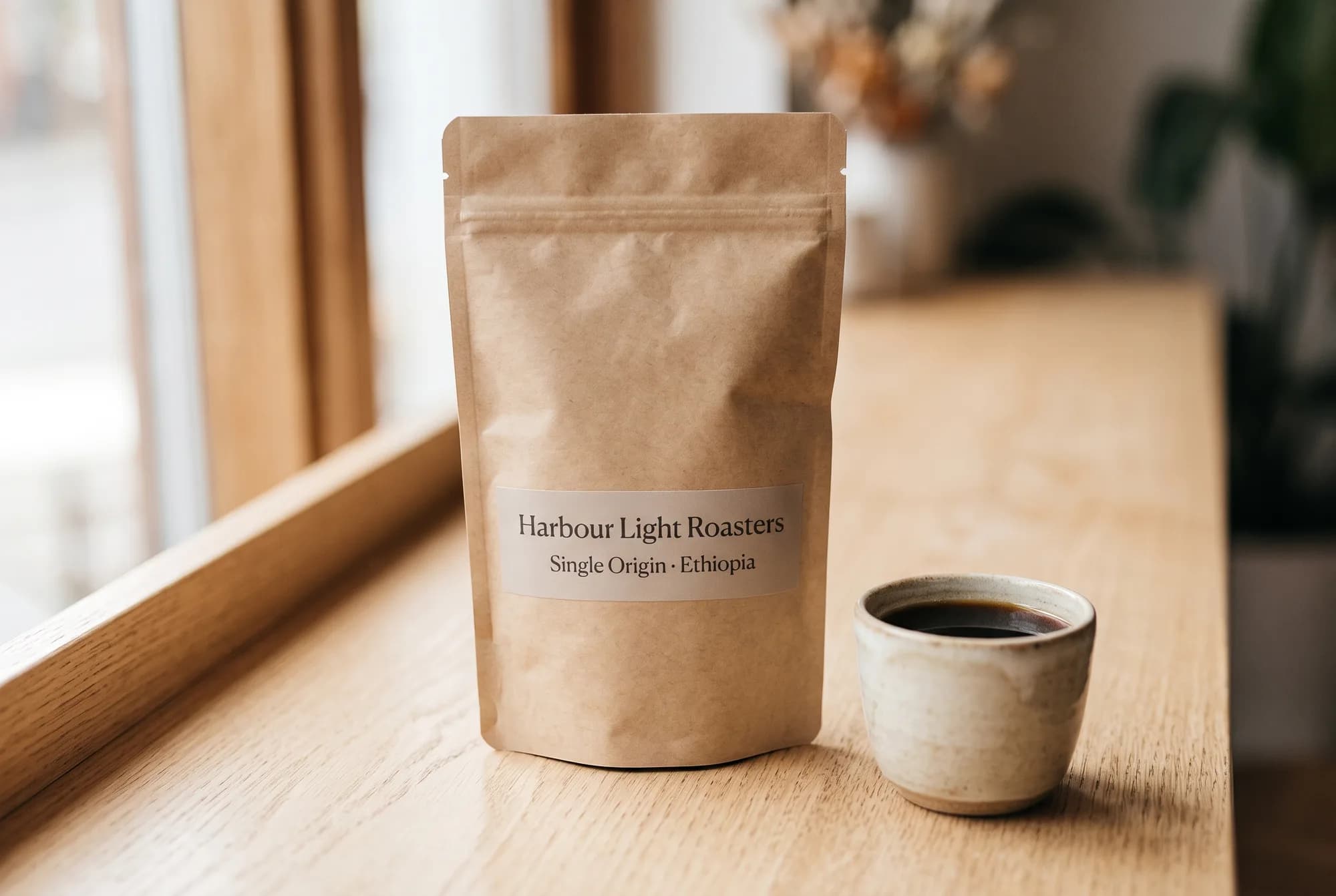
Wan 3.0 Guide: 30-Second AI Videos with Sound, in Five Shapes
A practical Wan 3.0 guide for Nenis: 3- to 30-second videos with generated sound, five aspect ratios, four ways to create, tested prompts with the real results, credit prices from 35 credits, and how it compares with Gemini Omni.
Wan 3.0, Alibaba's newest video model, is now in Nenis next to Gemini Omni. It makes videos from 3 to 30 seconds long, with generated sound, at 480p, 720p or 1080p, in landscape, portrait, square, 4:3 and 3:4.
The practical decision is simple. Pick Wan 3.0 when you need a long single take, or a square or 4:3 video for social feeds. Stay on Gemini Omni when you need 4K, or want to edit or extend a video after you make it.
Every video in this guide is a real Wan 3.0 result, made with the prompts shown and played here with its generated sound.
What Wan 3.0 is
Wan 3.0 is a video model from Alibaba Cloud. It went into public beta in early August 2026 and became generally available on August 24, 2026.
The changes that matter for everyday work:
- Twice the length. One generation runs up to 30 seconds, where Wan 2.7 stopped at 15.
- Sound in the same pass. Wan generates dialogue, music and sound effects with the picture.
- Reference-driven scenes. You can show it the people, products or style to keep, and name each one in the prompt.
- More shapes. Alongside
16:9and9:16, it makes1:1,4:3and3:4videos.
Alibaba is open about what is not finished yet: it says audio texture and the accuracy of text rendered inside a video are "still maturing". Keep that in mind for anything with on-screen words.
Wan 3.0 settings in Nenis
| Control | Available in Nenis |
|---|---|
| Ways to create | Text to video, Animate image, First / last frames, References |
| Length | 3 to 30 seconds, in one-second steps |
| Resolution | 480p, 720p (default), or 1080p |
| Aspect ratios | 16:9 landscape, 9:16 portrait, 1:1 square, 4:3 classic, 3:4 classic portrait |
| Sound | Generated with the video; turn off Audio for a silent MP4 |
| Frame rate | 30 FPS |
| Results per run | One video |
| Reference media | Up to 6 images and 3 video clips, each clip up to 3 seconds |
To use it, open Create, switch to Video, choose a mode, and pick Wan 3.0 in the model menu. The Generate button shows the exact credit price before you start.
Wan 3.0 or Gemini Omni?
| Wan 3.0 | Gemini Omni 1.1 Flash | |
|---|---|---|
| Length per video | 3–30 seconds | 3–10 seconds, extendable to about 40 |
| Resolution | 480p, 720p, 1080p | 360p, 720p, 1080p, 4K |
| Aspect ratios | 16:9, 9:16, 1:1, 4:3, 3:4 |
16:9, 9:16 |
| Edit and Extend | No | Yes |
| Sound | Generated, included | Generated, included |
| 10 seconds at 720p | 139 credits | 143 credits |
| 5 seconds at 1080p | 139 credits | 108 credits |
| Start here for | Long single takes, square and 4:3 social videos |
4K delivery, and changing a video after you make it |
At 720p the two models cost about the same per second. At 1080p, Omni is cheaper, but Google notes that Omni's 1080p and 4K are upscaled from its native 720p.
Four ways to make a video with Wan 3.0
Nenis made the four videos below with Wan 3.0 on October 13, 2026, with the same settings the app sends: 5 seconds, 480p, sound on. Each is the first and only attempt at its prompt, and every image it started from is shown with it. At those settings a video costs 35 credits, and each took between 88 and 149 seconds to finish.
1. Text to video
Text to video starts from words alone. Describe the scene, the movement, the camera and the sound.
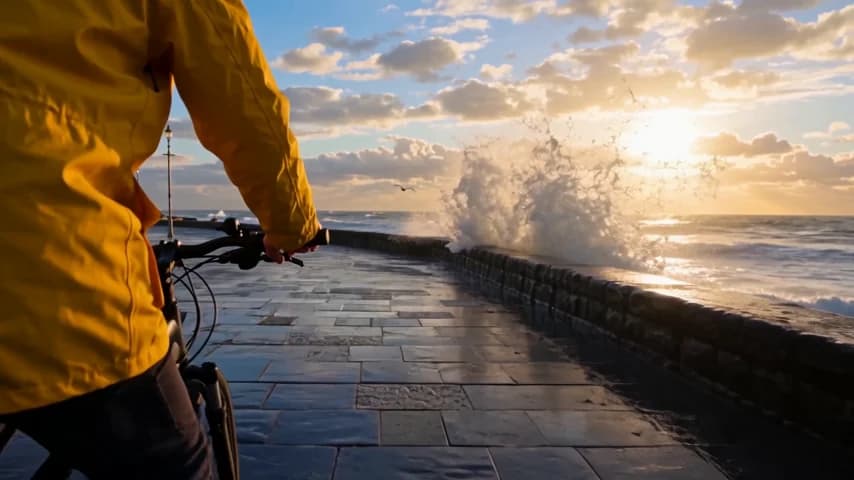
Single continuous shot at golden hour. A cyclist in a yellow raincoat rides
along a wet seaside promenade while waves break against the sea wall and the
spray catches the low sun. The camera tracks alongside at handlebar height.
Sound: waves crashing, bicycle tyres on wet stone, gulls in the distance.
No dialogue, no on-screen text.
Settings: 16:9, 480p, 5 seconds. 35 credits. The light, the spray and the water running across the promenade are convincing, and there is no cut. Wan did not follow the camera direction exactly, though: it filmed from behind the rider's shoulder, not alongside. Camera placement is the part of a prompt most worth checking first.
2. Animate an image
Animate image uses your photo as the first frame and brings it to life. The more clearly you describe the action, the more the video does. This 1980s portrait comes from our Decade Rewind guide.
Left: the photo we started from. Right: the Wan 3.0 video.
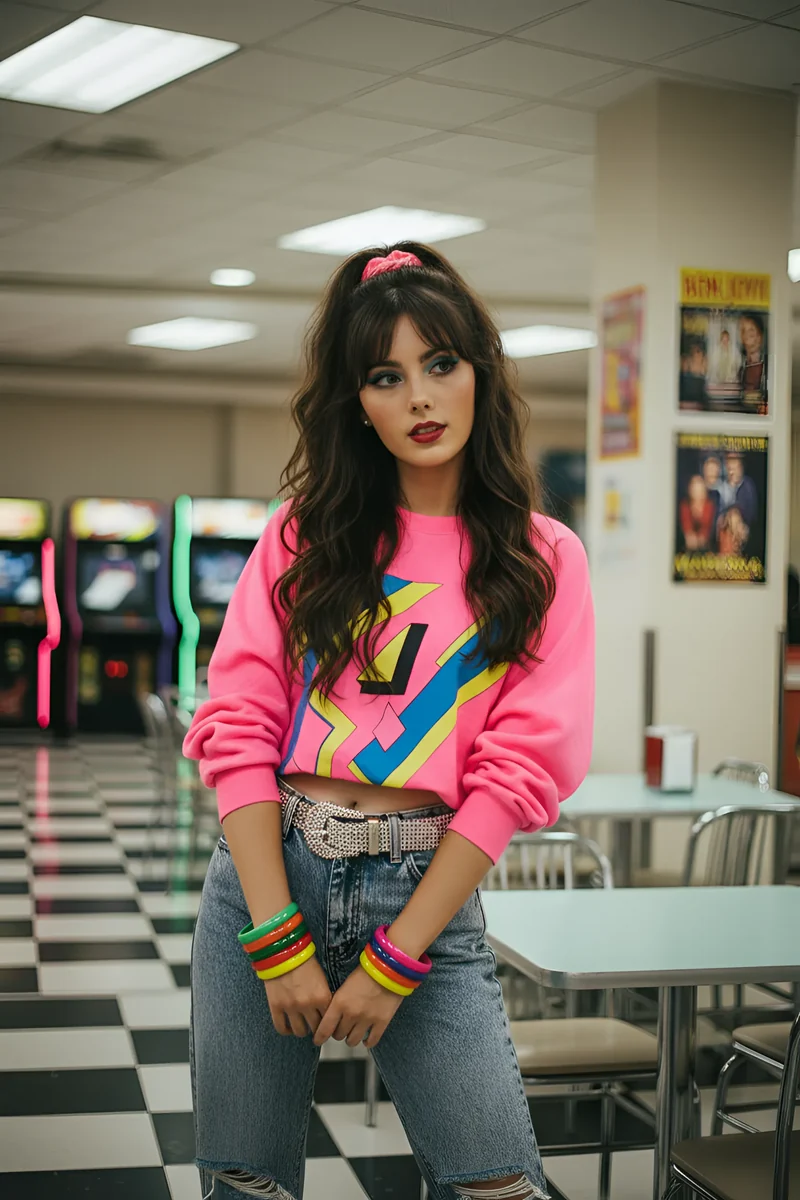
An upbeat 1980s synth-pop song starts on the diner jukebox. She grins, bounces
on the beat, throws both arms up and spins once on the spot, her curls and neon
bracelets swinging, then strikes a playful pose facing the camera. The arcade
machines behind her flash. The camera slowly moves in. Keep her face, hair, pink
sweater and outfit the same throughout. Sound: the synth-pop song and faint
arcade bleeps. No dialogue.
Settings: 3:4, 480p, 5 seconds. 35 credits. Wan acts out the whole sequence in order: the grin, both arms up, a full spin, and a closing pose with a peace sign. Her face, hair, sweater and bracelets come back unchanged after the spin, even though she faces away from the camera for a moment. That is the hardest thing to hold in a moving person.
The source photo is 2:3, so Wan trimmed it to fit 3:4. Choose the shape closest to your image to keep what is near its edges.
3. First and last frames
First / last frames takes two images: where the video starts and where it must end. Wan works out everything in between, so the two frames can be very different. Here the start is a full-length photo of a woman in a studio, and the end is a collectible figurine of her on a desk. Both come from our 3D figurine guide.

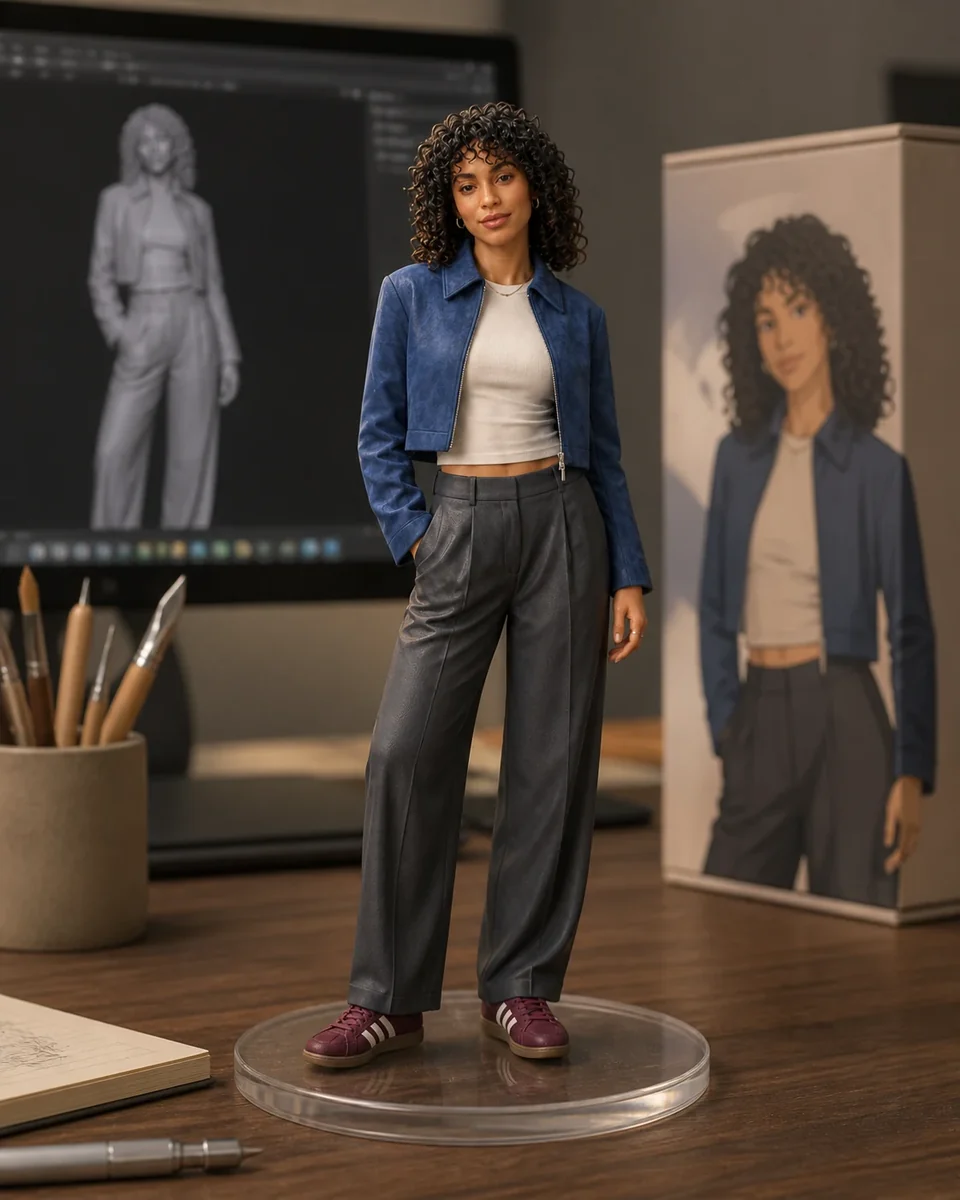
Single continuous shot. The woman walks two steps toward the camera, does a slow
confident turn and settles back into a relaxed pose with her hands in her jacket
pockets. As she finishes the turn, the camera pulls back and she shrinks into a
small collectible figurine of herself on a clear round base, standing on a
wooden desk beside her own design sketches and a monitor showing her 3D model.
Sound: footsteps on wooden floor, then a soft magical shimmer as she becomes the
figurine. No dialogue.
Settings: 3:4, 480p, 5 seconds. 35 credits. The first three seconds are the walk and the turn, with her face and outfit unchanged. Then, in about half a second, the desk, the sketches and the monitor grow in around her, and the video lands exactly on the last frame. It is a quick morph rather than the camera pull-back we described, but her pose, jacket and shoes carry straight through into the figurine.
Describe the action and the change between the frames, not the frames themselves: Wan already has those.
4. References
References mode builds a new scene around things you show it. Wan reads your images as Image 1, Image 2 and so on, in the order you add them, so name each one in the prompt. Image 1 here is the mug from our Nano Banana 2.1 guide.
Left: Image 1, the only reference. Right: the Wan 3.0 video.

Image 1 shows a speckled white ceramic mug with the word "NENIS" on it. Keep
this mug exactly as it is in Image 1: the speckled glaze, the unglazed base,
the handle and the lettering. Single continuous shot: the mug stands on a
wooden desk beside an open notebook, next to a rainy window. A hand pours hot
coffee into it and steam rises. Sound: coffee pouring and rain on the window.
No dialogue.
Settings: 9:16, 480p, 5 seconds, one reference image. 35 credits. The glaze, the bare clay base and the NENIS lettering carry over from the reference, in a scene that shares nothing else with it. Look closely, though, and the mug is a little squatter and its letters a little heavier than the original's. Compare frame by frame if the object is your product.
Wan 3.0 credits
Wan 3.0 is priced by the second of video it makes: about 7 credits a second at 480p, 14 at 720p, and 28 at 1080p. Sound and reference images cost nothing extra.
| Length | 480p | 720p | 1080p |
|---|---|---|---|
| 5 seconds | 35 | 70 | 139 |
| 10 seconds | 70 | 139 | 277 |
| 15 seconds | 104 | 208 | 415 |
| 30 seconds | 208 | 415 | 830 |
Reference video clips are the one addition. Wan reads every second of them, so each clip adds its length at the same per-second rate: a 5-second 720p video with one 3-second reference clip costs 111 credits. Nenis adds the parts together and rounds up once.
You always see the exact price before you generate. If a video fails, the credits held for it go back to your balance.
A Wan 3.0 prompt structure that works
Format: single continuous shot, or the shots you want in order.
Scene: who or what, doing what, where, and when.
Camera: framing and one clear movement.
Keep: what must not change (a product, a label, a face, a colour).
References: what each image does, by number (Image 1, Image 2).
Sound: ambience, effects, music, or dialogue in quotes; "no dialogue" if none.
Avoid: specific unwanted additions, such as on-screen text.
Habits that made the biggest difference in our tests:
- Put the camera instruction early, and check it first. It was the one direction Wan reinterpreted.
- Say what must stay the same. Quoting the label text kept it intact through the whole animation.
- Describe the change, not the endpoints, in First / last frames mode.
- Use fewer, clearer reference photos. In our wider Wan testing, a few sharp photos beat many mixed ones.
- Keep inputs clean. Wan copies what it sees, including logos, captions and corner stickers in your photos and clips.
Nenis also has Wan expand your prompt before it generates, which fills in detail you didn't give. Short prompts still work, but anything you leave out is up to the model.
Limits to know before generating
- On-screen text and audio texture are still maturing. That is Alibaba's own assessment. Proofread any words in the frame, and listen before you publish.
- No Edit or Extend in Nenis. Use Gemini Omni to change or continue a video after it is made.
- No 4K. The largest Wan output is 1080p.
- Images are cropped to the chosen shape. Pick the aspect ratio closest to your starting image.
- Longer and larger videos take longer. Our 5-second 480p tests took about two minutes each. A 30-second 1080p video can take several times as long.
- One video per run. Each variation is a new generation.
- Every video is labelled as AI-generated. Wan writes an AIGC label into each MP4's metadata. It is not visible in the picture, and it does not replace disclosure where a platform or client requires it.
The recommendation
Use Wan 3.0 for longer single takes and for square or 4:3 videos, the shapes Gemini Omni does not make. Draft at 480p for 35 credits, then make the final at 720p or 1080p once the camera and motion are right.
Stay on Gemini Omni when you need 4K, or want to edit or extend a video conversationally. Both models are in the same video workspace, so for an important clip it is worth running the prompt on each and keeping the better one.
Sources and image credits
- Alibaba Cloud: Wan3.0 video generation guide
- Alibaba Cloud: Wan3.0 officially launched
- Alibaba Cloud Community: Wan3.0 at general availability
- Alibaba Cloud Community: Alibaba unveils Wan3.0
All four videos were made by Nenis with Wan 3.0 on October 13, 2026, using the prompts and settings shown. Each is a single first attempt at its prompt, not a benchmark. The starting images were made by Nenis for earlier guides, and the people in them are fictional. Model behaviour and availability can change. Nenis controls and credit prices were checked against the Nenis source code on October 13, 2026.