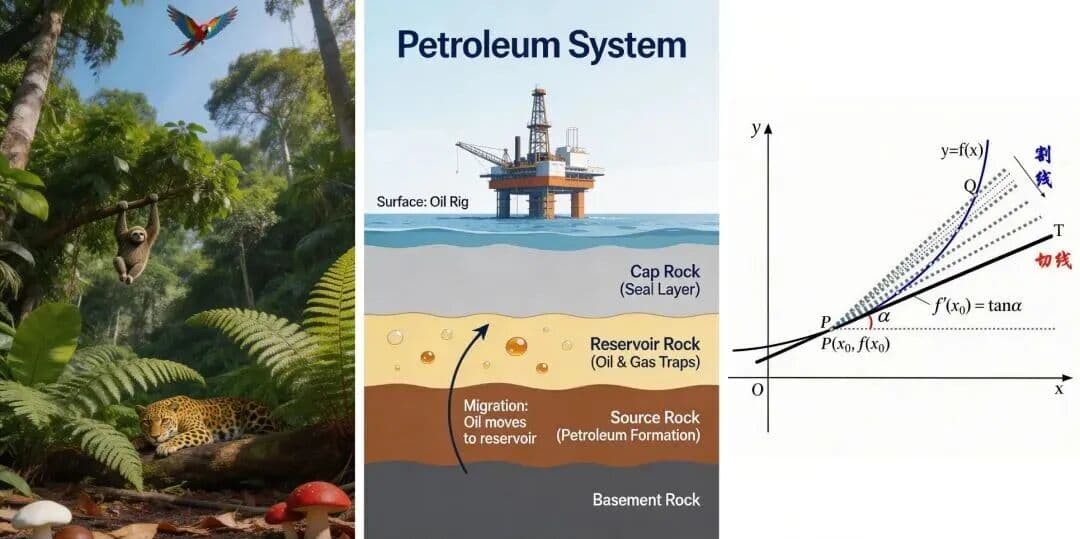
Seedream 5.0 Lite in Nenis: A Smarter 5-Credit AI Image Model
A practical guide to Seedream 5.0 Lite in Nenis: when to use its stronger reasoning, reference handling, editing, information graphics, and 2K-to-4K output.
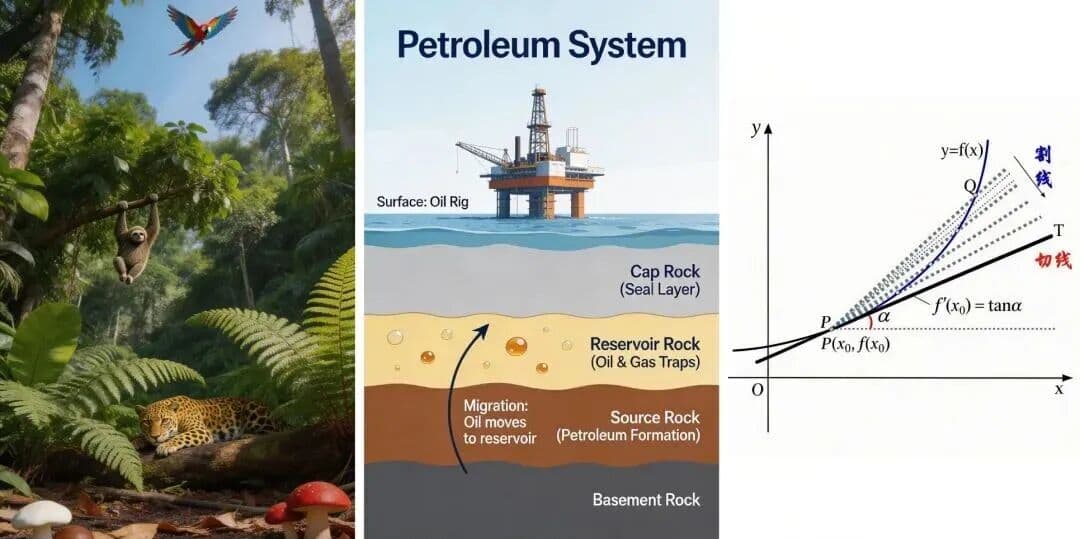
Seedream 5.0 Lite is the new thinking-first model in the ByteDance lane of Nenis. Its main upgrade is not simply a larger image. It is the work the model does before it draws: reading references, interpreting spatial relationships, understanding a vague brief, and keeping an edit aligned with the original scene.
In Nenis, Seedream 5.0 Lite costs 5 credits per output at every available resolution. That places it beside Seedream 4.5 on price, but gives it a different role: choose 5.0 Lite when the request needs reasoning, multiple constraints, or a more informed visual answer.
The Short Version
Use Seedream 5.0 Lite for:
- Complex prompts with several subjects or relationships.
- Reference-led creation and style transfer.
- Targeted edits where untouched areas should stay stable.
- Diagrams, teaching visuals, presentation graphics, and visual explanations.
- Product concepts that need both composition and written details.
- 2K, 3K, or 4K output without a higher credit price.
Stay with Seedream 4 when the job is a cheap first draft. Use Seedream 4.5 when you already like its editing behavior and do not need the newer reasoning layer.
What Nenis Exposes
This is the current Seedream 5.0 Lite setup in Nenis:
| Control | Nenis support |
|---|---|
| Credits | 5 per output |
| Outputs | 1 to 10 per job |
| Reference images | Up to 14 |
| Resolution tiers | Standard, High, Ultra — mapped to 2K, 3K, and 4K |
| Aspect ratios | 1:1, 4:3, 3:4, 16:9, 9:16, 3:2, 2:3, 21:9 |
| Output format | JPG |
The flat credit price matters. A 4K output costs the same five credits as a 2K output, so the resolution decision is about the asset you need—not about avoiding a hidden premium.
Why the “Lite” Name Is Misleading
“Lite” can sound like a stripped-down budget model. That is not the useful way to understand this release.
ByteDance says the central improvement over Seedream 4 is deeper understanding and reasoning across reading, seeing, drawing, and writing. Its launch material focuses on cross-modal reasoning, world knowledge, instruction following, reference understanding, consistency, and image-text alignment.
That makes Seedream 5.0 Lite less like a faster sketch tool and more like a visual problem solver.
The practical difference appears when a prompt contains logic:
- Put nine different objects in nine specific positions.
- Infer the transformation between two references and apply it to a third.
- Preserve the product while changing only the lighting and environment.
- Turn a concept into a diagram with labels and hierarchy.
- Combine subject, style, material, and composition references without confusing their roles.
Best Use 1: Visual Reasoning
Seedream 5.0 Lite is useful when the image has to make sense, not merely look attractive.
That includes structured scenes, cause-and-effect visuals, educational diagrams, and prompts where object count or placement matters. The official launch examples include a nine-cell shelf with a different precisely described object in every cell.

Prompt pattern:
Create a front-facing 3x3 product display.
Place one item in each cell, reading left to right and top to bottom:
1. [item and material]
2. [item and color]
3. [item and surface]
Continue through item 9.
Keep every cell equal in size and do not repeat an object.
Use clean studio lighting and a neutral background.
Number the relationships when precision matters. A paragraph of prose makes the model work harder to discover the structure.
Best Use 2: Reference-Led Editing
Seedream 5.0 Lite can accept up to 14 reference images in Nenis. That is useful, but only if every image has a job.
The official examples show the model inferring a change from a pair of images and applying that same relationship elsewhere. For everyday creator work, the same capability is valuable for product variations, relighting, restyling, and preserving subjects across a campaign.
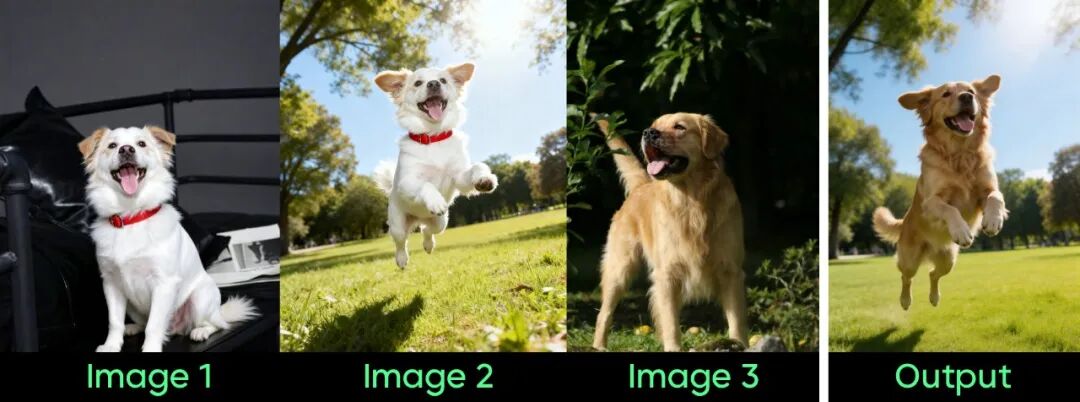
Use explicit roles:
Use image 1 as the exact product reference.
Use image 2 only for the lighting direction.
Use image 3 only for the surface material and color palette.

Create a 4:5 ecommerce campaign image.
Keep the product shape, cap, label area, and main color unchanged.
Change the environment to a warm stone bathroom shelf.
Do not copy objects or text from images 2 and 3.
The preservation line is still important. Better reasoning reduces ambiguity; it does not remove the need for a clear brief.
Best Use 3: Information Graphics
ByteDance calls out office, education, research, and information visualization as important Seedream 5.0 Lite use cases. That makes the model interesting for presentation concepts, visual explainers, simple diagrams, lesson graphics, and early infographic layouts.
Use it for a first visual direction, then verify every fact and label before publication.
Create a clean 16:9 educational diagram explaining how a heat pump works.
Show four numbered stages connected by arrows.
Use a cutaway house illustration on the left and the process diagram on the right.
Use only these labels: [exact approved labels].
Keep the hierarchy readable from a presentation slide.
Do not add statistics, claims, or extra technical labels.Seedream 4 vs 4.5 vs 5.0 Lite
| Model | Credits per output | Resolution choices | Best starting point |
|---|---|---|---|
| Seedream 4 | 4 | Standard, High, Ultra | Cheap drafts, moodboards, broad exploration |
| Seedream 4.5 | 5 | High, Ultra | Controlled edits and familiar reference workflows |
| Seedream 5.0 Lite | 5 | Standard, High, Ultra | Reasoning, complex briefs, structured scenes, smarter edits |
The most useful workflow is:
- Start with Seedream 4 when you are searching for a direction.
- Move to Seedream 5.0 Lite when the direction has constraints or reference roles.
- Keep Seedream 4.5 available for an edit workflow that already performs well for your source image.
Read the full Seedream model comparison for the tradeoffs across all three options.
Where It Can Still Struggle
ByteDance describes Seedream 5.0 Lite as a relatively small model and explicitly notes room for improvement in structural stability, realism, and aesthetics. That is a useful limitation to keep in mind.
Try another model when:
- Photorealistic finish matters more than reasoning.
- The job is a final high-stakes brand asset.
- Dense public-facing typography must be exact.
- A simple prompt does not justify a five-credit output.
- You need web-grounded information inside Nenis.
For production text and complex brand constraints, compare Seedream with GPT Image 2 and Nano Banana Pro.
A Better Seedream 5.0 Lite Prompt
Treat the prompt like a compact design brief:
Create [asset] for [audience and use case].
Goal: [what the image must communicate].
Reference roles: [what each uploaded image controls].
Structure: [layout, order, count, spatial relationships].
Style: [lighting, material, color, visual language].
Exact text: "[approved text only]".
Preserve: [identity, product geometry, logo area, pose, composition].
Avoid: [extra labels, changed identity, duplicate subjects, clutter].
Output: [aspect ratio and resolution tier].
The biggest improvement is usually not adding more adjectives. It is making the relationships explicit.
For copy-ready examples covering products, portraits, local edits, style transfer, posters, structured scenes, and infographics, use the Seedream 5.0 Lite prompt guide.
The takeaway
Seedream 5.0 Lite is the most capable ByteDance option currently available in Nenis for briefs that require interpretation.
Use it when the model must understand relationships, preserve reference details, organize a complex scene, or turn information into a useful visual. At five credits per output from 2K through 4K, it is an especially strong upgrade when you would otherwise choose Seedream 4.5.
Seedream 4 is the sketchpad. Seedream 4.5 is the familiar editing bench. Seedream 5.0 Lite is the visual problem solver.
Sources and image credits
Model claims and images come from ByteDance Seed's official Seedream 5.0 Lite product page and launch article. Nenis controls and credit prices reflect the live Nenis model catalogue on August 20, 2026.