How to Use Reference Images in AI to Keep Products, People, and Styles Consistent
Learn how to use reference images in Nenis so AI image models can preserve products, people, characters, outfits, rooms, and visual styles more reliably.
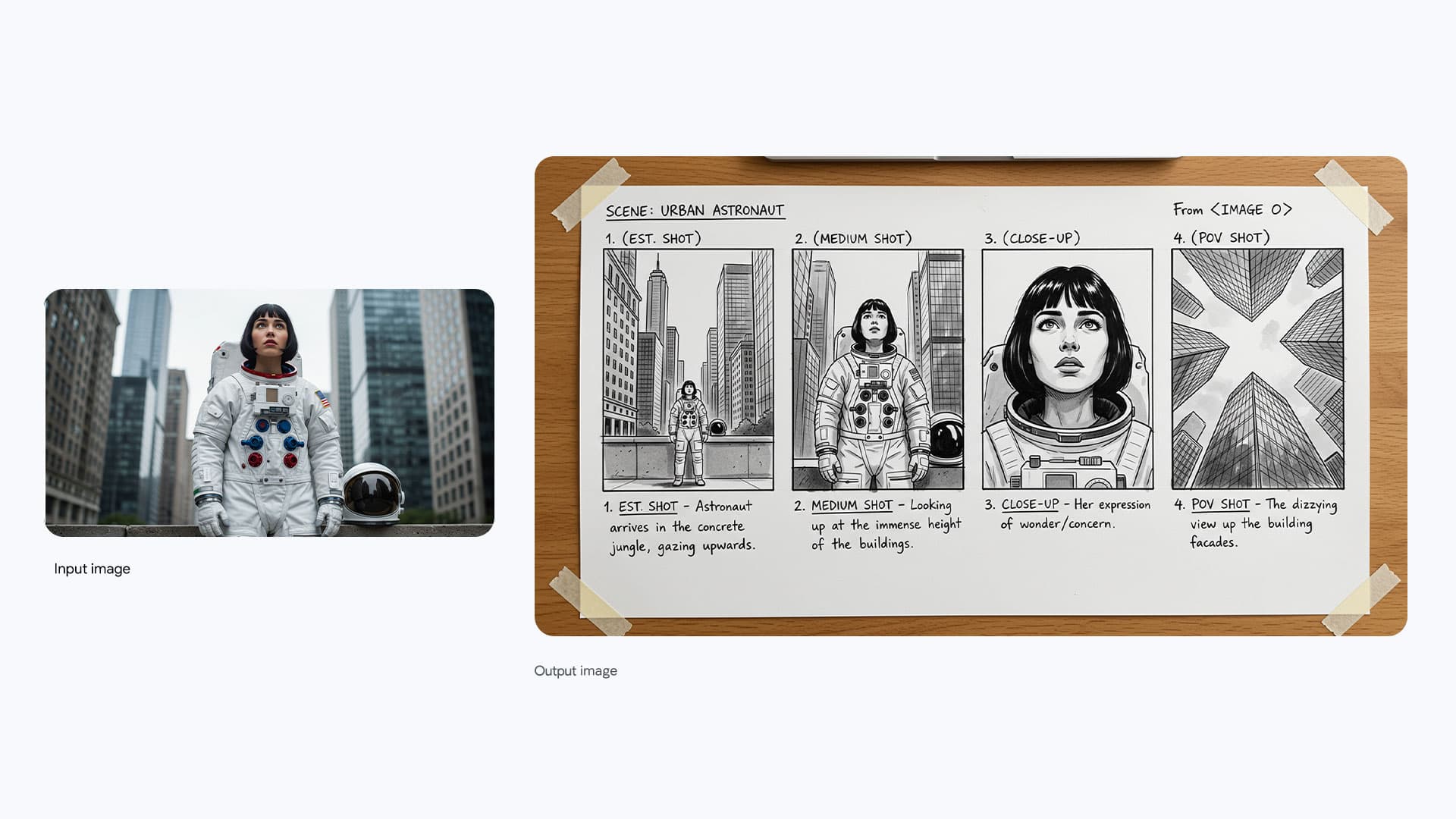
Reference images are how AI image generation becomes less random.
A text prompt can describe a product, person, outfit, room, brand style, or character. A reference image can show it.
That difference matters when you are not just making a pretty picture. You are trying to keep a product recognizable, preserve a face, reuse a visual style, match an outfit, create a campaign set, or turn a rough idea into a polished image.
Nenis supports image models that can work with uploaded images and prompts together, including OpenAI GPT Image models, Google Gemini/Nano Banana models, and ByteDance Seedream models. The trick is to tell the model what each reference is for.
What A Reference Image Can Do
Use reference images when the prompt needs visual memory.
They are useful for:
- Keeping a product shape and label consistent.
- Preserving a person's appearance in a new scene.
- Reusing a character design.
- Matching an outfit, material, or color palette.
- Applying one image's style to another image.
- Combining product, background, and lighting references.
- Creating a related set of campaign images.
- Turning sketches, layouts, or rough concepts into finished visuals.
Text tells the model what you want. References show the model what must survive.
The Most Important Rule: Assign Roles
Do not upload three images and hope the model understands them.
Give each image a job.
Use this structure:
Use image 1 as the exact product reference.
Use image 2 only for the lighting mood.
Use image 3 only for the background style.
Create a square ecommerce hero image.
Preserve the product shape, label area, logo placement, and main color.
Do not copy the objects from image 2 or image 3.
This is the difference between controlled generation and visual soup.
The official Google Nano Banana Pro prompt guide recommends defining the role of each uploaded image. The BytePlus Seedream prompt guide gives similar advice for reference-based generation: say what to extract and retain from the reference, then describe the new scene.
Reference Images Are Not All The Same
A reference can have different roles.
| Reference role | What it means | Prompt phrase |
|---|---|---|
| Exact subject | Preserve this product, person, or character | "Use image 1 as the exact subject reference." |
| Style | Borrow the visual look, not the content | "Use image 2 only for color, lighting, and style." |
| Layout | Follow the composition or structure | "Use image 3 as the layout reference." |
| Background | Use the environment idea | "Use image 4 for the background mood." |
| Material | Borrow texture or surface quality | "Use image 5 for material and finish." |
| Outfit | Transfer clothing or accessory details | "Dress the subject using the outfit from image 2." |
The more clearly you name the role, the less the model has to guess.
Product Photos: Preserve The Object First
Product images are one of the best reasons to use references.
If you are selling a candle, mug, skincare bottle, print, jewelry piece, or digital product mockup, the product cannot drift too far. It can be placed into a better scene, but it should still look like the real product.
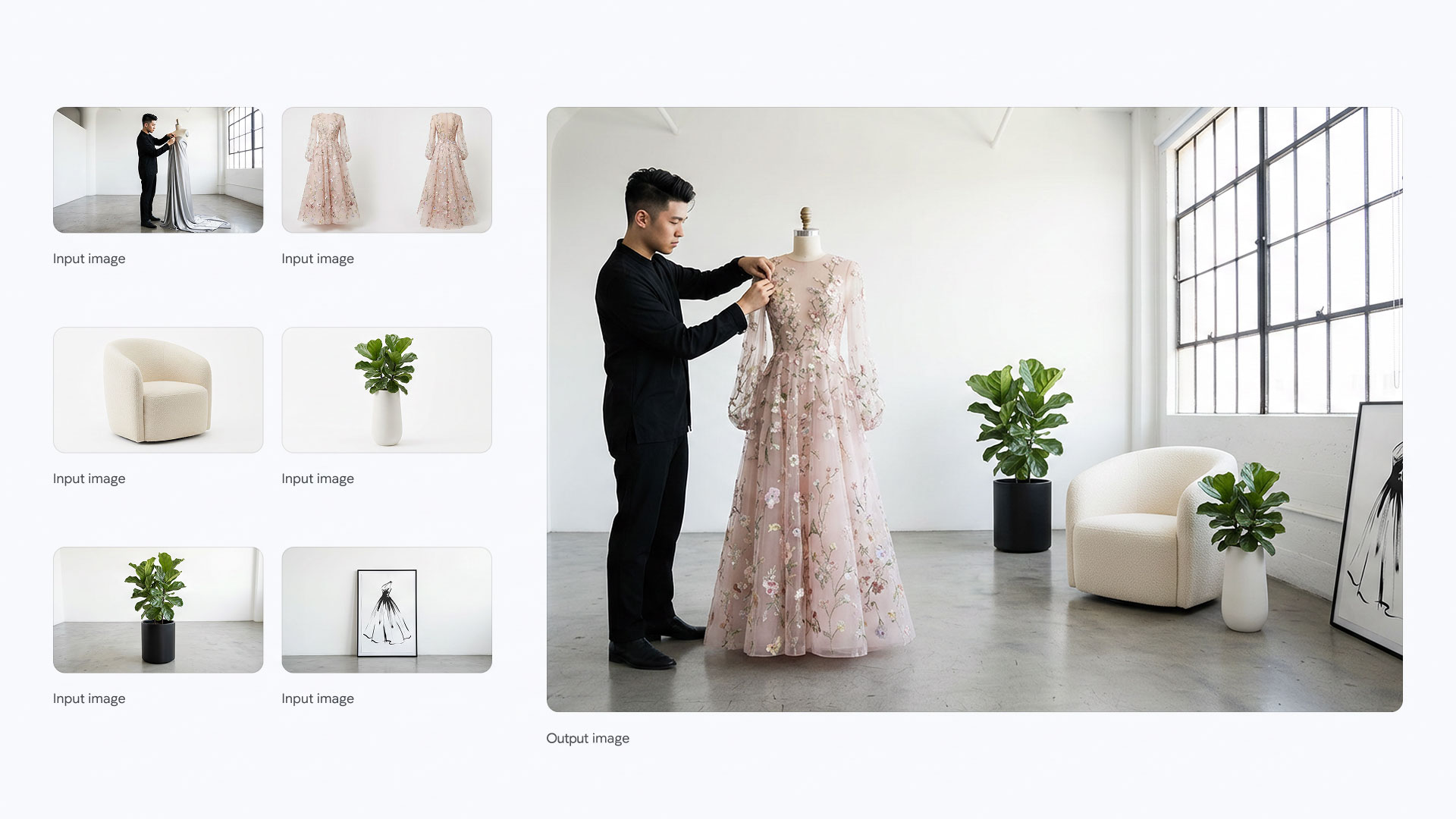
Use this prompt:
Use image 1 as the exact product reference.
Create a premium lifestyle product photo for an ecommerce page.
Scene: warm bathroom shelf with soft morning light, neutral stone, and minimal props.
Composition: square image, product centered, label facing the camera.
Preserve: bottle shape, cap, label area, logo placement, color, and product proportions.
Avoid: extra products, changed logo, warped label, misspelled text, unrealistic reflections.
For product work, the preserve line should be stronger than the style line.
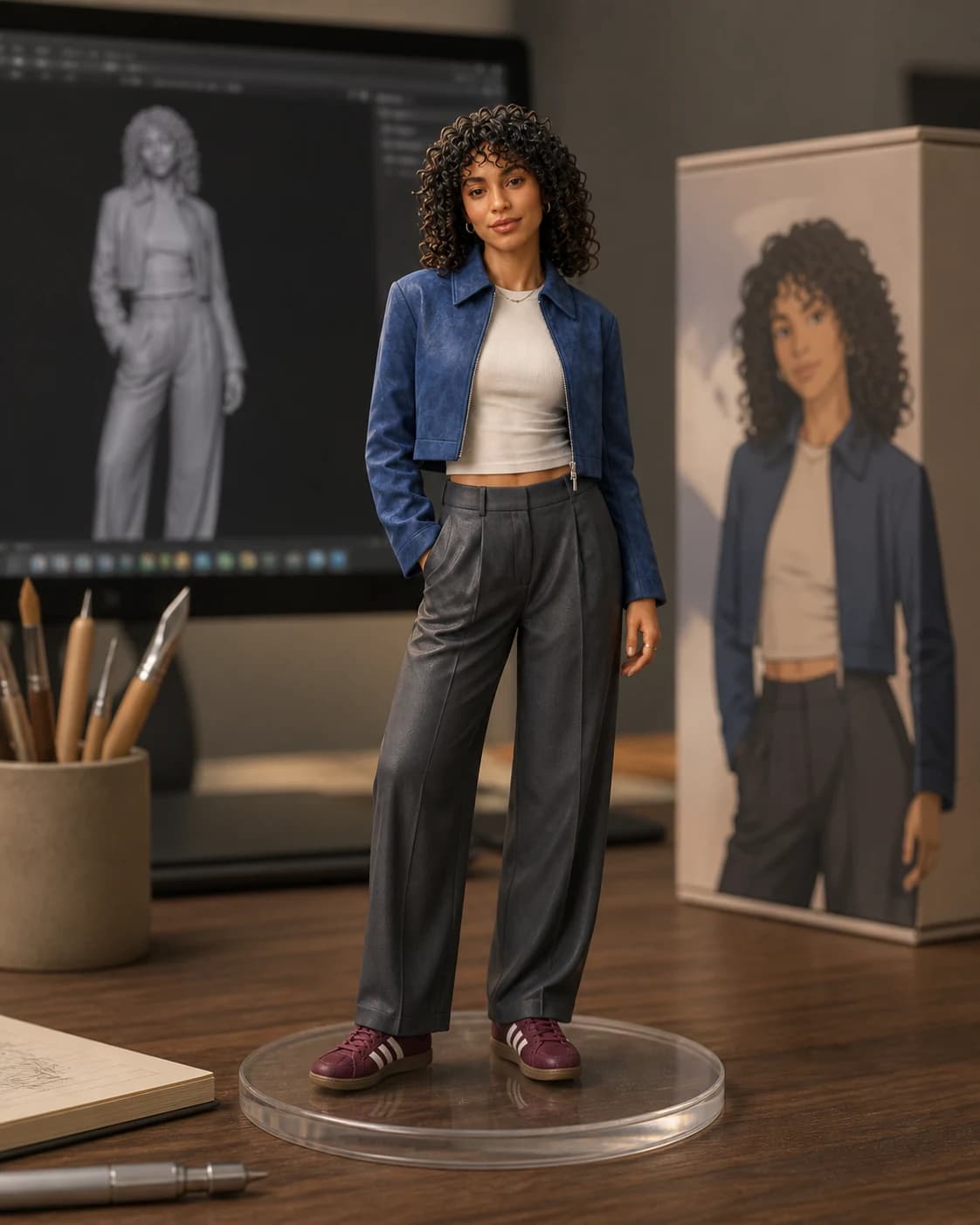
People And Characters: Preserve Identity, Change Context
When using a person or character reference, decide what should stay consistent before you ask for a new scene.
Useful identity details:
- Face shape.
- Hair style and color.
- Outfit.
- Pose.
- Body proportions.
- Character accessories.
- Illustration style.
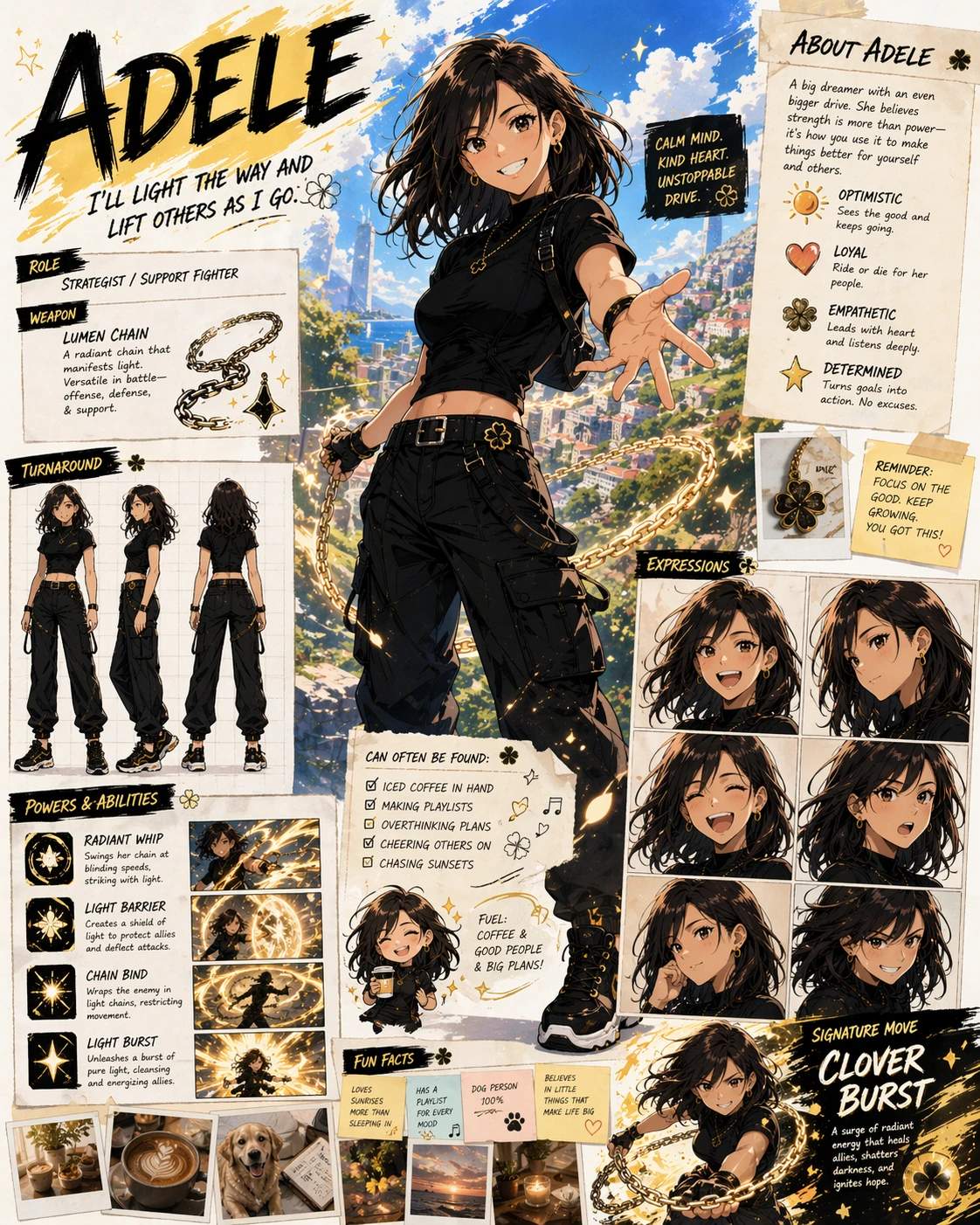
Prompt example:
Use image 1 as the character reference.
Create a new 16:9 scene of the same character standing in a cozy bookstore.
Preserve the face shape, hairstyle, outfit colors, glasses, and overall illustration style.
Change only the environment, lighting, and pose.
Avoid changing age, hair color, facial features, or adding extra characters.
If the image needs to stay recognizable, say that directly.
Style References: Borrow The Look, Not The Objects
Style references are powerful, but they can also confuse the model.
If image 2 is only a style reference, say so. Otherwise the model may copy objects, layout, or subject matter you did not want.
Use this:
Use image 1 as the product reference.
Use image 2 only for visual style: soft film grain, warm shadows, muted colors, and editorial lighting.
Do not copy the objects, room, or composition from image 2.
Create a 4:5 social product image.
That instruction gives the model permission to borrow the look without stealing the whole scene.
Brand Consistency: Build A Small Visual System
If you are creating several images for the same brand, use references like a mini brand kit.
Useful uploads:
- Logo or packaging image.
- Product photo.
- Previous campaign image.
- Color palette.
- Material reference.
- Typography or poster reference.
- Background mood image.
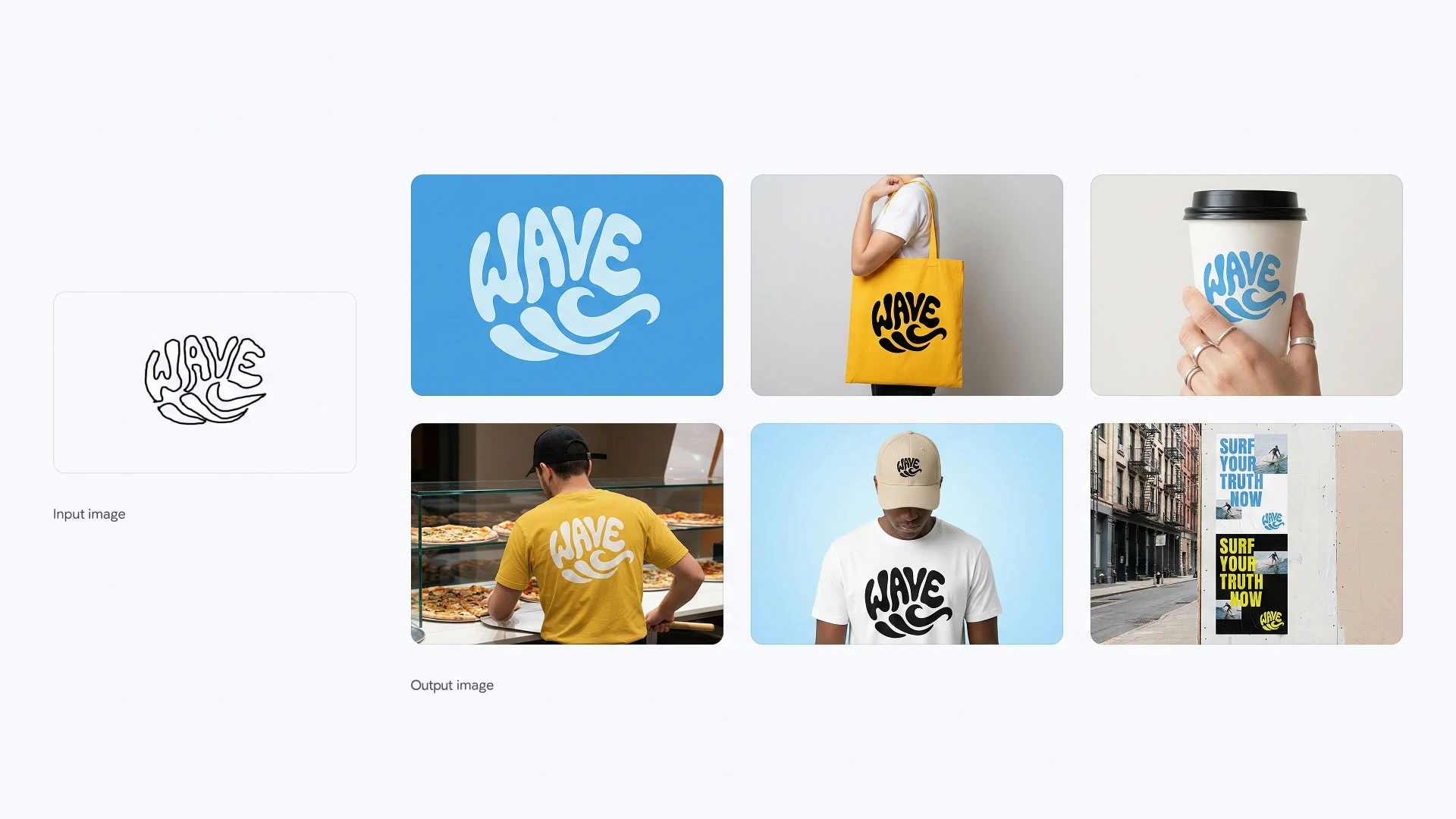
Prompt example:
Use image 1 as the brand logo reference.
Use image 2 as the product reference.
Use image 3 as the color and lighting reference.
Create three related campaign image directions for a premium outdoor brand.
Keep the logo style, green color family, product proportions, and clean modern mood consistent.
Each image should feel related, but use a different composition.
Avoid fake extra logos, unrelated colors, and cluttered layouts.
This is a good fit for Seedream-style image sets, Gemini/Nano Banana reference workflows, and OpenAI reference-led product concepts.
Background Replacement: Separate Subject From Scene
For background replacement, write the prompt in two parts: what to keep and what to change.
Edit image 1.
Keep the person, pose, clothing, face, hair, and camera angle unchanged.
Replace the background with a clean modern cafe interior in soft daylight.
Match the original perspective and lighting direction.
Avoid changing the person, adding extra people, or creating unrealistic edges.
The subject should be the anchor. The background should be the flexible part.
Multi-Reference Prompt Template
Use this when you upload several images:
Use image 1 as [exact subject/product/person reference].
Use image 2 as [style/lighting/color reference only].
Use image 3 as [background/layout/material reference only].

Create [asset type] for [use case].
Composition: [aspect ratio, framing, layout].
Scene: [new scene description].
Preserve: [details that must remain consistent].
Change: [details that should be different].
Avoid: [common failure modes].
This works because it reduces ambiguity.
Which Nenis Model Should You Use?
Reference-image work is not one model's job. It depends on what you need preserved.
| Goal | Strong Nenis choices |
|---|---|
| Low-cost reference experiments | Seedream 4 or Nano Banana |
| Controlled edits with preservation | Seedream 4.5 or GPT Image 1.5 |
| Product or brand visuals with stronger detail | GPT Image 2 or Nano Banana Pro |
| Multi-reference compositions | Nano Banana Pro, Nano Banana 2, Seedream 4.5, or GPT Image 2 |
| Text-heavy posters using references | GPT Image 2 or Nano Banana Pro |
Use a cheaper model when you are exploring. Move to a stronger model when you know what has to stay fixed.
Common Reference Mistakes
Avoid these:
- Uploading references without naming their roles.
- Asking for style transfer but not saying what content to preserve.
- Asking for a product image without saying the label must stay unchanged.
- Using a background reference and accidentally copying its objects.
- Combining too many unrelated references in one image.
- Forgetting to say what should change.
- Forgetting to say what should not change.
Three Practical Reference Prompts
Product In A New Scene
Use image 1 as the exact product reference.
Create a clean ecommerce lifestyle image on a marble bathroom shelf.
Preserve the product shape, cap, label area, logo position, and color.
Use soft daylight and realistic shadows.
Avoid extra products, changed text, warped label, and fake reflections.
Same Character, New Setting
Use image 1 as the character reference.
Create a new scene of the same character walking through a rainy neon street.
Preserve the face shape, hair, jacket, glasses, and illustration style.
Change the background, pose, and lighting only.
Avoid changing age, outfit colors, or facial features.
Brand Campaign Set
Use image 1 as the product reference.
Use image 2 as the brand color reference.
Use image 3 only for lighting and mood.
Create a set of three related social ad concepts.
Each image should have a different composition but feel like the same campaign.
Preserve product proportions, color, and logo area.
Avoid clutter, unrelated props, and fake brand marks.
The takeaway
Reference images make AI image generation more useful because they give the model something concrete to hold onto.
But references only work well when you assign roles.
Tell Nenis which image is the subject, which is the style, which is the background, and which details must stay unchanged. Then choose the model based on how much control you need.
A strong reference prompt is not "use these images." It is "use this image for this purpose."
Sources and image credits
This article is based on OpenAI image generation documentation, OpenAI's ChatGPT Images 2.0 launch examples, Google's official Nano Banana Pro prompting guide, BytePlus Seedream 4.0-4.5 prompt guidance, and BytePlus Seedream model documentation. Images are official OpenAI and Google examples.