Nano Banana 2: When to Use Gemini 3.1 Flash Image in Nenis
A practical guide to Nano Banana 2 in Nenis: how Gemini 3.1 Flash Image balances speed, higher-quality generation, reference handling, text rendering, and fast iteration.
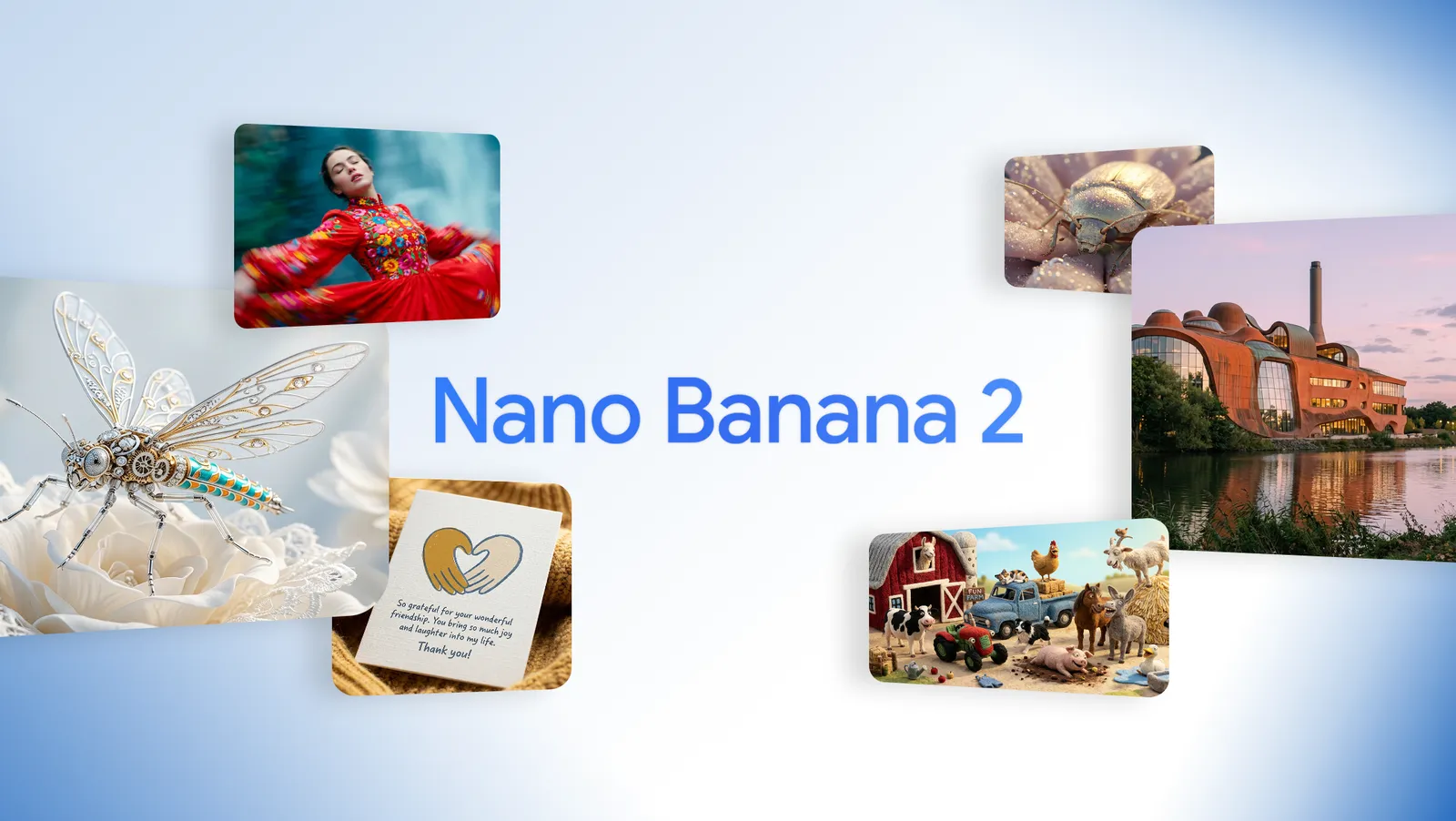
Nano Banana 2 is the model for the middle of the creative workflow: more capable than Nano Banana 2 Lite, faster and more exploratory than a full Pro pass, and practical enough for creators who need quality without slowing down.
In Nenis, Nano Banana 2 is the balanced Google image model for fast, high-quality iteration.
It is based on Gemini 3.1 Flash Image. Google announced Nano Banana 2 on February 26, 2026 as a model that brings more of the quality, world knowledge, subject consistency, and production-focused capability people liked in Nano Banana Pro into a faster Flash-style workflow.
The Short Version
Use Nano Banana 2 when you want a strong output quickly and the image may still need iteration.
| Use Nano Banana 2 for | Why it helps |
|---|---|
| Fast concepting | Better quality and instruction following while staying quick |
| Multi-reference creation | Supports up to 14 reference images in Nenis |
| Subject consistency | Better for repeat characters, products, and visual identity |
| Readable text and localization | More useful for mockups, signs, labels, and social graphics |
| Higher-resolution options | Supports Standard, High, and Ultra resolution choices in Nenis |
| Pre-Pro exploration | A good step before spending on Nano Banana Pro final renders |
What Nano Banana 2 Is
Nano Banana 2 is Google's Gemini 3.1 Flash Image model.
Google describes it as combining advanced capabilities with Flash speed: better world knowledge, stronger visual quality, subject consistency, precise instruction following, and faster editing and iteration.
That is exactly where it fits in Nenis.
Nano Banana 2 Lite is the inexpensive draft model. Nano Banana Pro is built for final-quality, high-control assets. Nano Banana 2 sits between them as the everyday workhorse for creators who need both speed and capability.
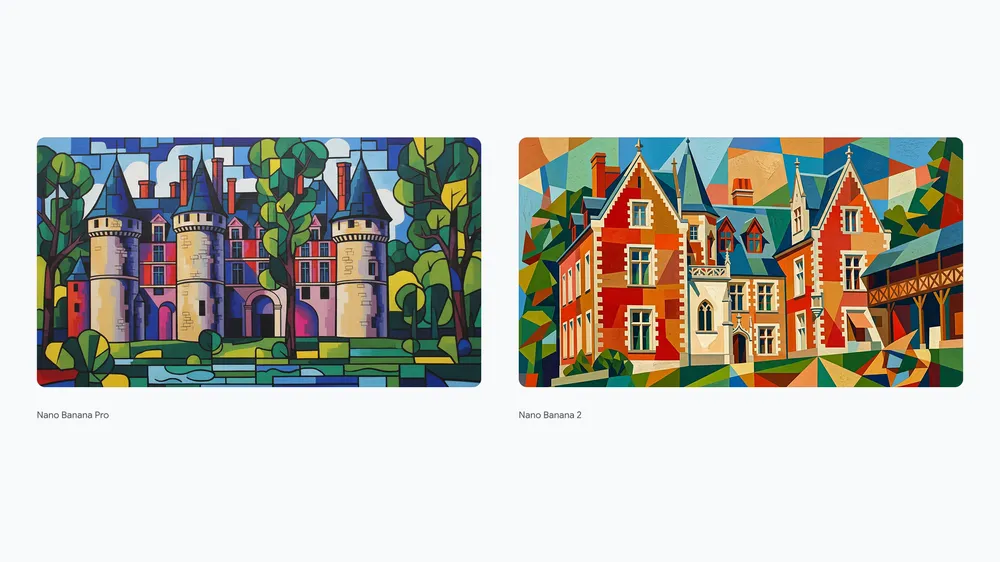
Where It Fits In The Nenis Model Lineup
Nano Banana 2 is not just "newer Nano Banana." It changes what you can comfortably ask the model to do.
| Model | Best role | Typical Nenis use |
|---|---|---|
| Nano Banana 2 Lite - Gemini 3.1 Flash-Lite Image | Quick edits and experiments | Background swaps, simple style tests, low-cost image drafts |
| Nano Banana 2 - Gemini 3.1 Flash Image | Fast high-quality iteration | Stronger image generation, more references, better text, more formats |
| Nano Banana Pro - Gemini 3 Pro Image | Production-ready polish | Complex prompts, brand assets, infographics, final 4K visuals |
The practical workflow is simple:
- Use Nano Banana for quick early tests.
- Use Nano Banana 2 when the direction needs more intelligence and control.
- Use Nano Banana Pro when the image needs final polish.
What It Supports In Nenis
In Nenis, Nano Banana 2 is configured for stronger image generation and editing without making the workflow feel heavy.
Current Nenis support includes:
- 1 to 4 outputs per job.
- Up to 14 input images for reference-based workflows.
- A wide set of aspect ratios, including square, portrait, landscape, widescreen, social, and panoramic formats.
- Resolution choices: Low, Standard, High, and Ultra — from 512px through 4K.
Google's developer documentation lists Gemini 3.1 Flash Image Preview with 512, 1K, 2K, and 4K image size options, plus additional long aspect ratios such as 1:4, 4:1, 1:8, and 8:1.
That makes Nano Banana 2 a strong fit for creators who need more format flexibility: social posts, banners, product scenes, storyboards, thumbnails, and draft campaign assets.
Best Use Case 1: Explore More Ideas Per Prompt
Nano Banana 2 is useful when you need several credible directions quickly.
That might mean:
- Three product colorways.
- Four thumbnail concepts.
- A set of background options.
- A few campaign moods.
- Several character or scene variations.
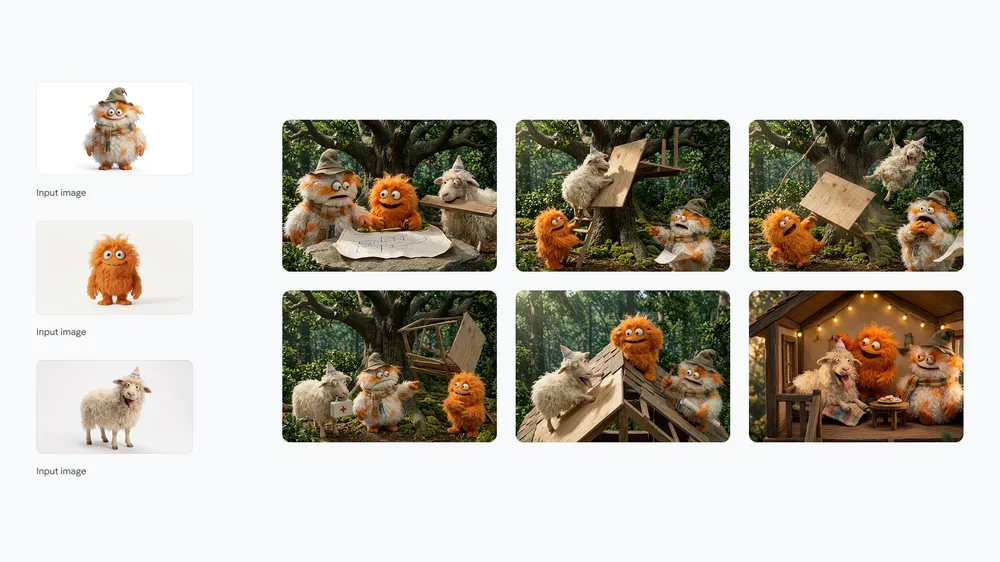
Prompt example:
Create four square product campaign concepts for this uploaded candle.
Keep the jar shape, label placement, and color unchanged.
Explore four moods: cozy winter, clean spa, modern gift guide, and warm cafe table.
Use natural lighting and realistic photography.
Avoid changing the brand name or adding unreadable label text.
This is where Nano Banana 2 earns its place: the outputs are strong enough to judge, but fast enough that you can keep moving.
Best Use Case 2: Work With More References
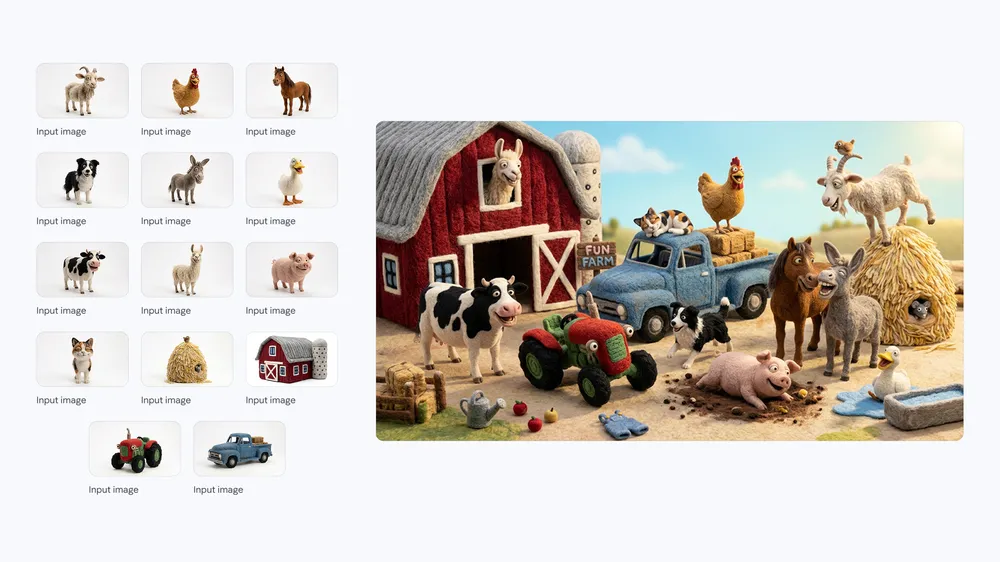
Nano Banana 2 supports the same 14-reference limit as Lite, but gives those workflows more resolution and optional grounding controls.
In Nenis, you can bring up to 14 input images. That gives the model a fuller brief: product photos, color references, moodboards, packaging details, character references, room photos, texture references, and past campaign visuals.
The key is to assign roles.
Use image 1 as the exact product reference.
Use images 2 and 3 for lighting and background mood.
Use image 4 as the color palette.
Use image 5 only as typography inspiration.
Create a 16:9 website hero image.
Preserve the product shape, cap, label placement, and logo area.
Do not make the model guess which reference matters most. The more references you upload, the more important reference roles become.
Best Use Case 3: Keep Subjects Consistent
Nano Banana 2 is also useful when you need the same subject across multiple visuals.
That might be a founder portrait series, a recurring mascot, a product line, a character for a short campaign, or the same interior room across different styling options.
Prompt example:
Create a three-image visual direction for this character.
Keep the same face, haircut, age, outfit colors, and overall identity.
Scene 1: studio portrait with soft editorial lighting.
Scene 2: outdoor lifestyle image in golden hour.
Scene 3: product announcement thumbnail with clean background space.
Do not change facial structure or add extra accessories.
For product creators:
Use the uploaded product as the exact object reference.
Create three ecommerce lifestyle scenes.
Keep the product proportions, cap, logo position, and main color identical.
Only change the setting and lighting.
Best Use Case 4: Text, Signs, And Localization
Text is one of the places where newer Gemini image models become more practical.
Google's Nano Banana 2 announcement calls out accurate, legible text for mockups and greeting cards, plus the ability to translate and localize text within an image. The developer docs also describe advanced text rendering for infographics, menus, diagrams, and marketing assets.
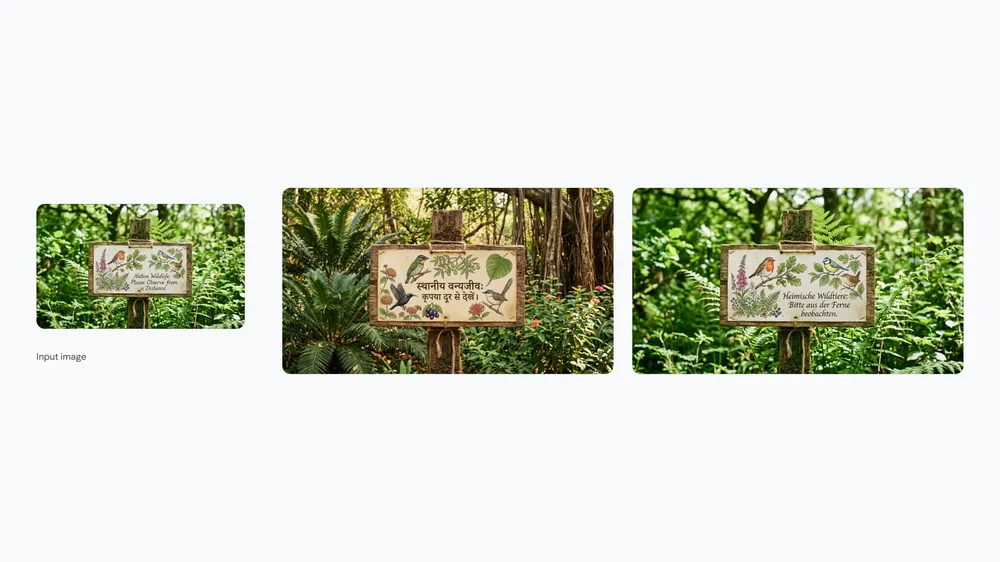
Use Nano Banana 2 for:
- Social post mockups with short headlines.
- Event cards and simple posters.
- Product signs and shelf talkers.
- Menu or label concepts.
- Localized campaign drafts.
Prompt example:
Create a clean 16:9 promotional image for a local coffee pop-up.
Main text: "Weekend Matcha Bar"
Small text: "Saturday 10-2"
Style: bright editorial cafe photography with a minimal sign in the scene.
Keep all text legible and spelled exactly.
Avoid extra text, fake logos, and cluttered layouts.When To Use Nano Banana 2 Instead Of Pro
Use Nano Banana 2 when you are still deciding.
It is a good choice when:
- You want multiple versions quickly.
- The image needs more quality than a quick edit, but not final polish yet.
- You have several references, but the brief is not extremely complex.
- The text is short and practical, not a dense infographic.
- You want to test aspect ratios before committing to a final layout.
Use Nano Banana Pro instead when:
- The image is a final brand asset.
- The text is central to the design.
- The prompt has many strict constraints.
- The image needs the most reliable reasoning.
- You need a polished 4K production result.
Nano Banana 2 is the model for getting closer. Nano Banana Pro is the model for finishing.
Prompt Formula For Better Results
Nano Banana 2 performs best when your prompt reads like a compact creative brief.
Use this structure:
Create [asset type] for [use case].
Main subject: [subject or uploaded reference].
Reference roles: [what each image controls].
Composition: [camera angle, crop, aspect ratio].
Style: [visual style and mood].
Text in image: "[exact text]" placed [where/how].
Preserve: [identity, logo, product shape, colors, pose].
Avoid: [misspelled text, extra objects, warped logos, fake claims].
Resolution: [Standard, High, or Ultra if needed].
Full example:
Create a 9:16 launch story for a handmade ceramic mug.
Use image 1 as the exact mug reference.
Use image 2 for warm kitchen lighting.
Composition: mug in the lower center with steam and negative space above.
Style: realistic editorial photography, cozy but premium.
Text in image: "Small Batch Weekend Drop" near the top.
Preserve: mug shape, glaze color, handle shape, and handmade texture.
Avoid: extra mugs, misspelled text, fake brand marks, distorted handle.
Resolution: High.
A Practical Nenis Workflow
Here is how to use Nano Banana 2 without wasting credits:
- Start with Nano Banana 2 Lite if the idea is rough or the edit is simple.
- Move to Nano Banana 2 when the prompt starts involving references, text, or stronger visual direction.
- Generate 2 to 4 outputs to compare composition and style.
- Save the best prompt and reference set.
- Finish with Nano Banana Pro only when the image is ready for final polish.
The takeaway
Nano Banana 2 is the most useful middle lane in the Gemini image lineup.
It gives creators more capability than Lite where it matters: better all-around output, more aspect ratios, higher-resolution options, search grounding, and faster iteration than a final Pro workflow.
Use Nano Banana 2 when the idea is no longer rough, but not quite ready for final polish.
Sources and image credits
This article is based on Google's official Nano Banana 2 announcement and the Google AI for Developers Gemini image generation documentation. Images are official Google visuals from the Nano Banana 2 launch materials.